 Cian
Scan & pack
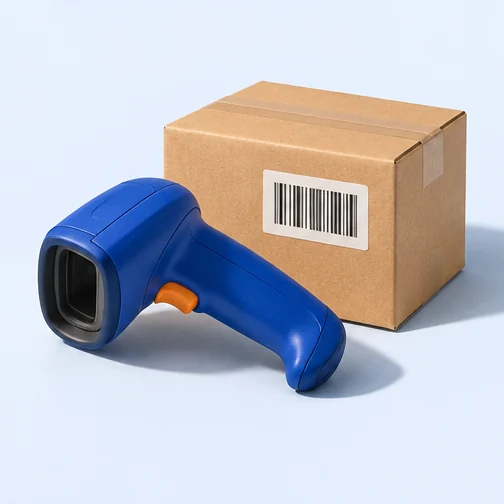
The order calls for two 1 m cables. Scan the 2 m variant, then the right one. Which scan moves the packed count?
Read the scan & pack guide- Order line
- 1 m cable
- Expected
- 2 units
- Verified
- 0 of 2
Waiting for the first scan.
Bring buyers back with reviews, rewards and email. Set wholesale prices, scan every order and see what it earns.
$49/ month per storePayment method at checkout · Email & AI allowances“Here’s my supplier invoice. Price these for a 30% gross margin and add the units we received to stock.”
From the first review request to the last barcode scan. Choose a guide for a worked example, setup steps and the details that matter before you switch.
 Reviews
 Rewards
 Email marketing
 Customer referrals
 Customer segmentation
 Back-in-stock alerts
 Wholesale
 Scan & pack
 SKU families
 Purchase orders & receiving
 Demand forecasting
 Batch picking
 Analytics
 Order profitability
 Campaign attribution
 Scheduled reports
 Storefront search
 SEO management
 Image optimisation
 Store backups
Try each workflow right here. These examples use sample data and never change your store.
The order calls for two 1 m cables. Scan the 2 m variant, then the right one. Which scan moves the packed count?
Read the scan & pack guideWaiting for the first scan.
A $120 order contains $78 of goods. Switch from an $8 shipping label to $26 express shipping to see what’s left.
Read the analytics guide$34 remains after product and shipping costs, before other expenses.
A case of 12 costs $24. Choose a markup to see what a trade buyer would pay for the case.
Read the wholesale guide25% markup adds $6.00 to the case cost.
A first-time buyer bought a desk lamp last week. Change their subscription status to see whether they qualify for an accessories offer.
Read the email marketing guideSubscribed: eligible for this example offer.
A shopper had 180 points and earned 40 more. Redeem a 200-point reward to see the balance they can use next time.
Read the rewards guideOne reward is available.
A shopper left a note about jacket sizing. Hold it for a second look or approve it for the sample storefront.
Read the reviews guide“The size chart was accurate. The medium fit over a sweater.”
Rain jacket · waiting for moderation
Pending: not displayed on the sample storefront.
See how stock, customer activity and margin fit together.
Connect case packs to retail units, plan replenishment and put the right orders in the pick queue.
Explore operationsBuild segments from buying behaviour. Bring shoppers back with email, points, referrals and reviews.
Explore retentionLook past top-line sales. Review order costs, refunds, campaign attribution and repeat purchase behaviour.
Explore intelligenceThe $49 monthly subscription is per store. It includes the toolkit shown above, 2,000 broadcast emails and $2.50 of AI usage each month. Additional email and AI usage is prepaid.
Yes. Try the invoice example above or any of the six sample workflows. They use illustrative data and leave your store untouched.
Add a payment method at checkout. The subscription starts billing after the 14-day trial unless you cancel first.
Connect your BigCommerce store. Try the platform free for 14 days.